Health score from 0 to 100
Track processor, memory, disk, battery and startup time, with an explanation of the current bottleneck.
Simulate first, undo later
Simulation Mode shows what each fix would do without changing anything. System changes can be undone in the Actions section.
100% local and private
No account, no ads and no telemetry. Data stays in the user's own profile, on the computer.
A Windows 11 style interface
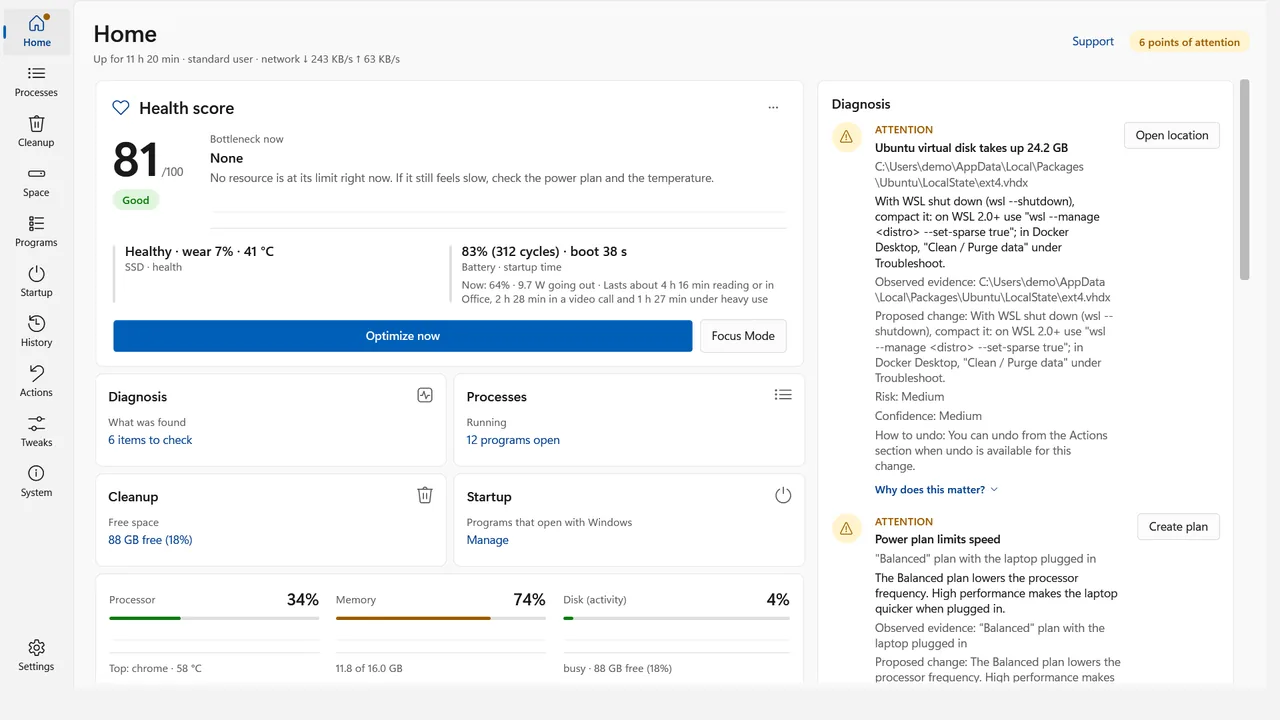
Home: health score and findings 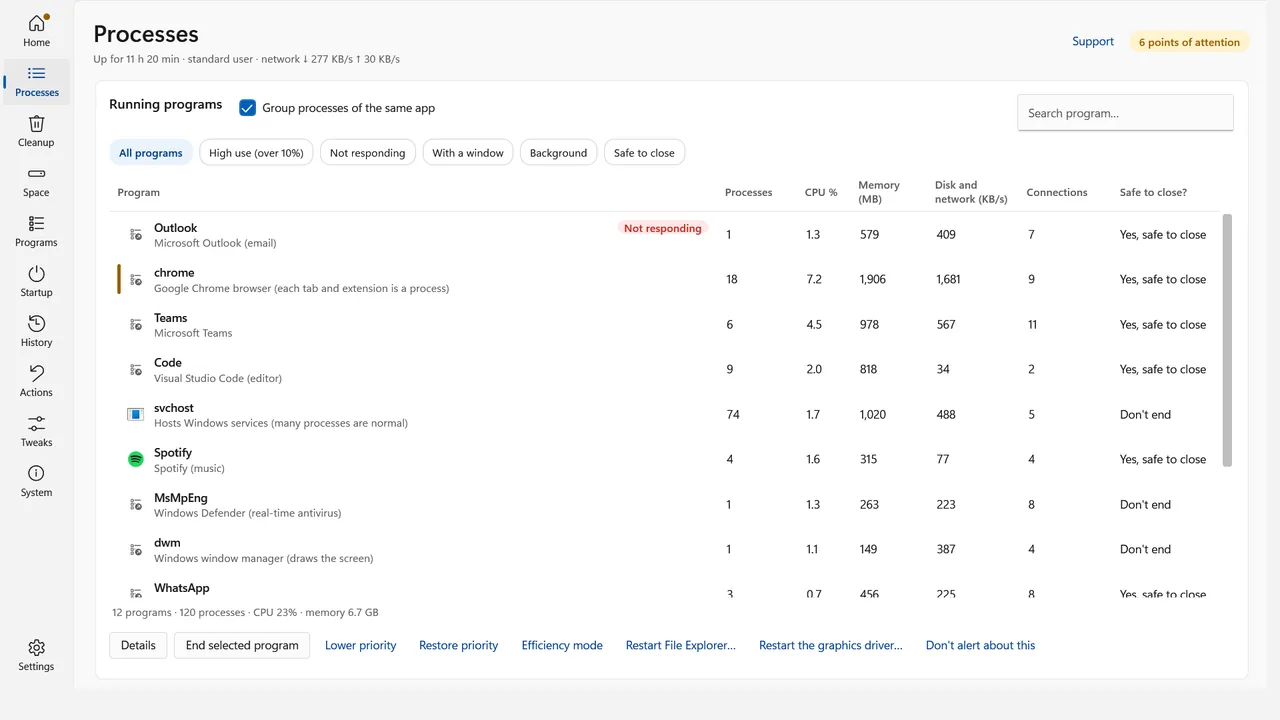
Running processes 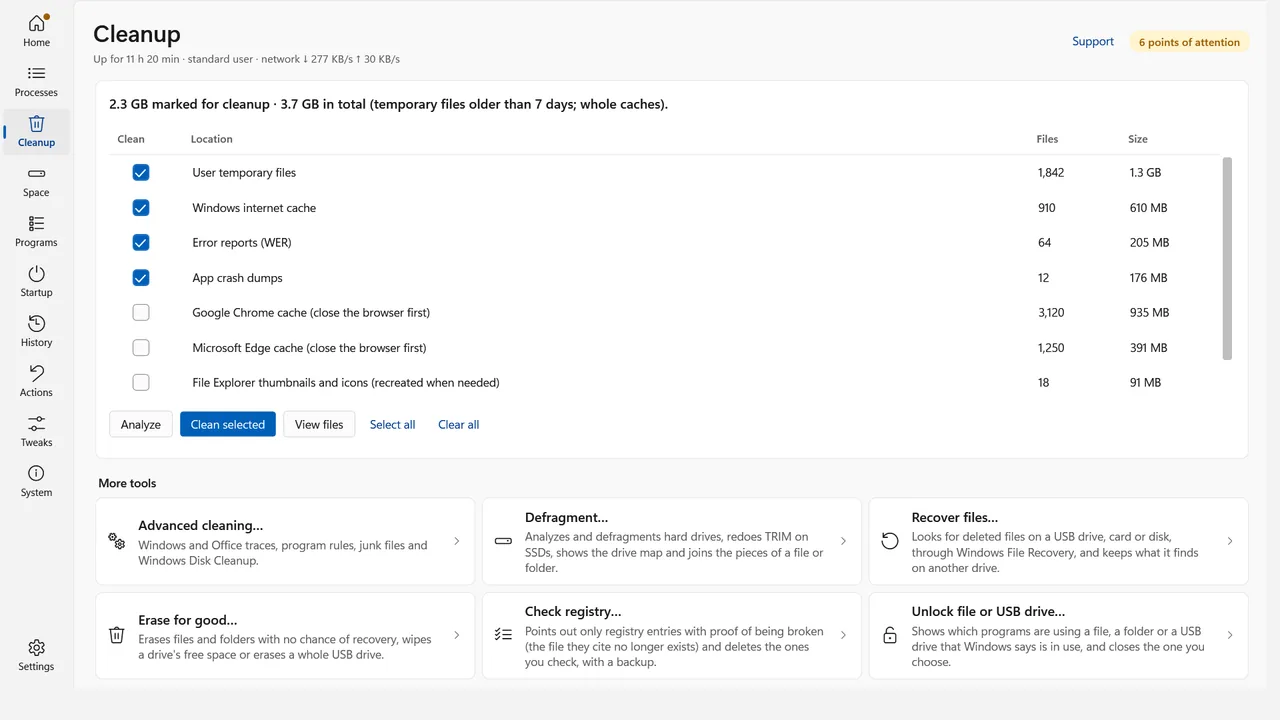
Cleanup with file preview 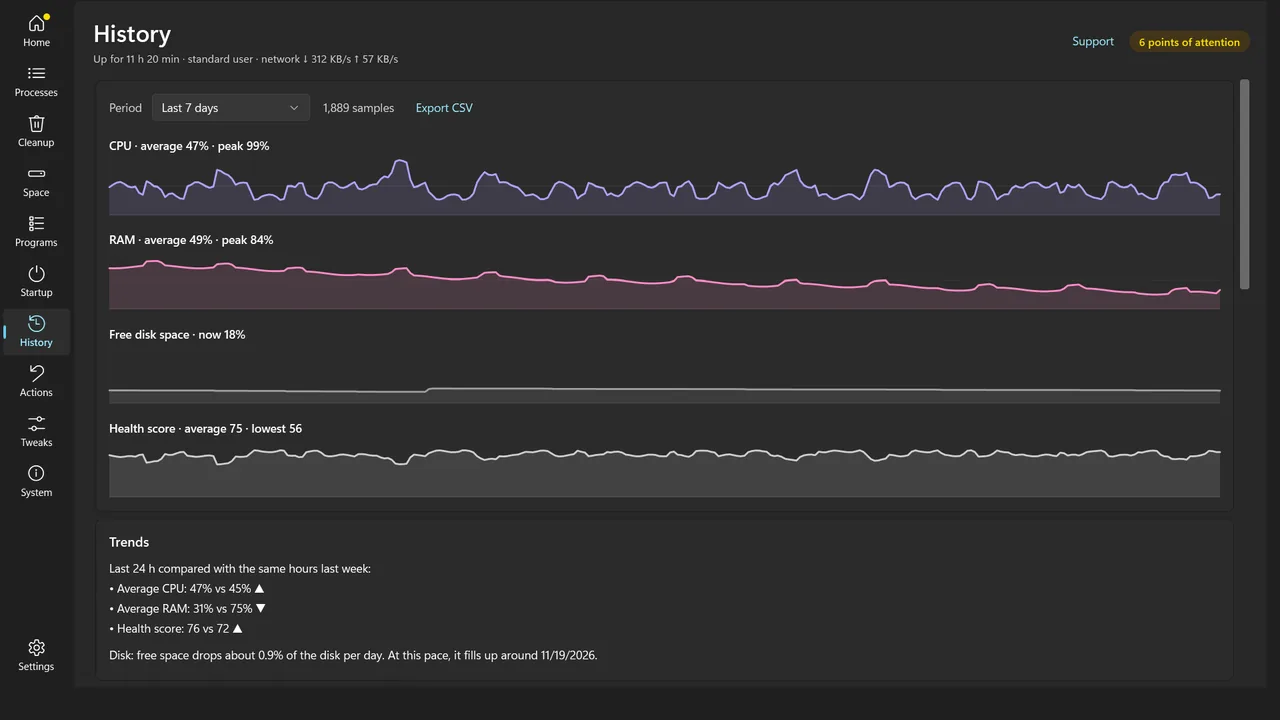
History in dark theme
Diagnose, clean and speed up without guesswork
Safe cleanup
Removes temporary files, caches and error reports, previewing the list before deleting. Personal documents, saved passwords and session cookies are left alone.
Processes and quick rescue
Find frozen or heavy programs, turn on Efficiency Mode, snooze apps and restart File Explorer without restarting Windows.
Startup under control
See how much each program adds to boot time, disable it reversibly or delay it so the desktop is ready sooner.
Disk space and duplicates
See what takes up the most space and find duplicate files by content, with a review before sending them to the Recycle Bin.
Battery and usage modes
Track power draw in watts and battery wear. Use Focus, Lap (less heat) and Survival (longer battery life) modes.
History and reports
Follow up to 30 days of trends, find the slowest hours and export reports as HTML, PDF, TXT or CSV.
You decide what changes on your computer
Nothing happens without confirmation
No file is deleted and no program is closed without your confirmation.
No data collection
The app asks for no account, shows no ads and sends no telemetry. Crash reports, if enabled, stay on the computer and only leave if the person attaches them to a support request.
Business mode
IT can require a password to change settings, protected by a PBKDF2-SHA256 hash, including through Windows policy.
Built for today's Windows
Windows 10 and 11
Light, dark and High Contrast themes, following the system accent color.
Portuguese, English and Spanish
The interface follows the language the person chooses.
Questions about Notebook Doctor
When will Notebook Doctor be available?
Soon. Email us with the button on this page and we will tell you as soon as there is a launch date.
Do I need to create an account?
No. The app works without an account and without internet for diagnostics and cleanup.
Does the app send my data to Klivfy?
No. There is no telemetry. Data stays in a folder in the user's own profile on the computer.
Can I undo a fix?
System changes are logged in the Actions section with an Undo button. Before applying, Simulation Mode shows what would be done.
Is it suitable for businesses?
Yes. Business mode lets IT require a password to change settings. Contact us if you need to deploy it across several computers.
Want to know when it arrives?
Notebook Doctor is in its final stage of preparation. Leave your contact and we will let you know at launch.
Notify me